
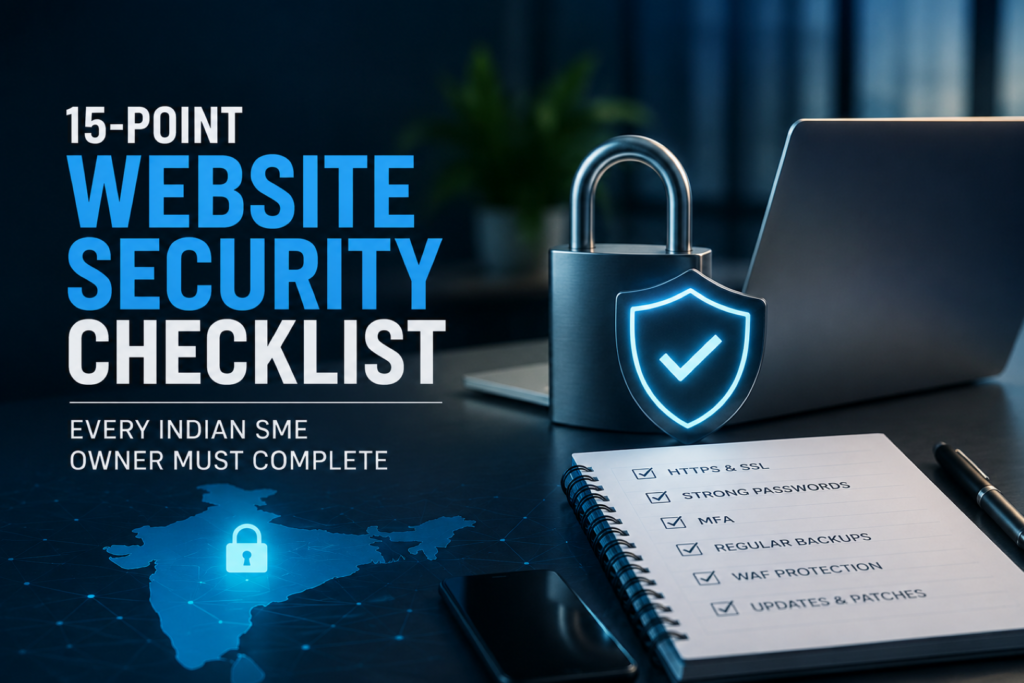
Introduction: Business Website Security Checklist — Why It Matters
Cybercriminals are increasingly targeting small and medium-sized businesses because they often have fewer cybersecurity resources than large enterprises. From ransomware and phishing attacks to website defacement and data breaches, a single successful attack can interrupt business operations, damage customer trust, and result in significant financial losses.
A comprehensive Business Website Security Checklist helps organizations identify common security gaps before attackers exploit them using a proven Business Website Security Checklist. Whether an SME operates an e-commerce store, corporate website, educational portal, or service platform, implementing basic cybersecurity controls can significantly reduce the likelihood of a successful attack.
According to CERT-In, Indian MSMEs should strengthen their cybersecurity posture by adopting essential security controls, performing regular vulnerability assessments, and maintaining secure digital infrastructure to defend against evolving cyber threats.
Business Website Security Checklist: Why Website Security Has Become a Business Priority
A business website is no longer just an online presence—it often stores customer information, payment details, employee accounts, and business applications. This makes it an attractive target for cybercriminals.
Common attacks targeting Indian SMEs include:
- Ransomware attacks
- Website defacement
- Credential theft
- Phishing campaigns
- Malware infections
- SQL Injection attacks
- Cross-Site Scripting (XSS)
- Distributed Denial-of-Service (DDoS) attacks
Even a brief website outage can lead to lost revenue, customer dissatisfaction, and reputational damage. For businesses handling sensitive customer information, security incidents may also lead to legal and regulatory consequences.
Business Website Security Checklist: 15 Essential Steps
1. Use HTTPS with a Valid SSL/TLS Certificate
Encrypt all communication between users and your website using HTTPS. Renew SSL/TLS certificates before expiration to prevent browser security warnings and protect sensitive data during transmission.
2. Enable Multi-Factor Authentication (MFA)
Protect administrator accounts with Multi-Factor Authentication (MFA). Even if passwords are compromised, MFA adds an extra layer of security that helps prevent unauthorized access.
3. Enforce Strong Password Policies
Require employees to create strong, unique passwords and avoid password reuse across multiple accounts. Consider using password managers for secure credential management.
4. Keep CMS and Plugins Updated in Your Business Website Security Checklist
Regularly update:
- Content Management System (CMS)
- Themes
- Plugins
- Server software
- Operating System
Security updates frequently patch vulnerabilities actively targeted by attackers.
5. Deploy a Web Application Firewall (WAF)
A Web Application Firewall filters malicious traffic before it reaches your website. A properly configured WAF helps block common attacks such as SQL injection, XSS, and brute-force login attempts.
6. Perform Regular Website Backups as Part of Your Business Website Security Checklist
Create automated backups of your website and databases.
Best practices include:
- Daily backups for active websites
- Secure off-site storage
- Regular restoration testing
Reliable backups enable faster recovery after ransomware attacks or accidental data loss.
7. Apply Role-Based Access Control (RBAC)
Grant employees only the permissions required for their job responsibilities. Limiting privileged access reduces the risk of accidental or malicious changes to critical systems.
8. Conduct Regular Security Audits
Perform vulnerability assessments and penetration testing periodically to identify security weaknesses before attackers do. Following OWASP security best practices can significantly improve website resilience.
9. Monitor Logs and Security Events
Enable logging for:
- Login attempts
- Administrative actions
- File modifications
- Server events
Continuous monitoring helps detect suspicious activities early and enables faster incident response.
10. Secure APIs
Many modern websites rely on APIs for business operations. Protect APIs by implementing:
- Authentication
- Authorization
- Rate limiting
- Input validation
- Secure API keys
11. Encrypt Sensitive Data
Sensitive customer information should be encrypted both during transmission and while stored on servers. Encryption minimizes the impact of unauthorized data access.
12. Scan for Malware Regularly
Use trusted security tools to perform scheduled malware scans and promptly remove malicious files before they spread across your infrastructure.
13. Disable Unused Services
Remove inactive plugins, unused applications, default administrator accounts, and unnecessary services to reduce the website’s attack surface.
14. Train Employees on Cybersecurity
Human error remains one of the leading causes of cyber incidents. Regular awareness training helps employees recognize phishing emails, suspicious links, and credential theft attempts.
15. Prepare an Incident Response Plan
Every organization should maintain a documented incident response plan covering:
- Detection
- Containment
- Recovery
- Communication
- Reporting
A well-prepared response plan minimizes downtime and accelerates recovery following a cyber incident.
Industry Context: Why SME Website Attacks Are Increasing
Cybercriminals increasingly view SMEs as valuable targets because many organizations lack dedicated security teams or advanced defenses. Automated attack tools can scan thousands of websites daily for outdated software, weak passwords, and exposed services, making even smaller businesses vulnerable.
As digital transformation accelerates across India, adopting a proactive security strategy has become essential rather than optional. Organizations can strengthen their cybersecurity knowledge by exploring CyberNexora’s Learn & Protect section, staying informed through Resources, and following the latest Cyber Incidents to understand emerging threats affecting businesses.
Key Takeaways
- Indian SMEs are increasingly becoming targets of ransomware, phishing, malware, website defacement, and other cyberattacks.
- Following a Business Website Security Checklist helps reduce vulnerabilities and improves overall cyber resilience.
- Essential security measures include HTTPS, MFA, regular software updates, secure backups, RBAC, WAF deployment, and continuous monitoring.
- Regular vulnerability assessments based on OWASP recommendations help identify security gaps before attackers exploit them.
- CERT-In encourages MSMEs to implement essential cybersecurity controls to strengthen their defenses against evolving threats.
Conclusion: Business Website Security Checklist and What Comes Next
A secure website is no longer optional—it is a fundamental requirement for protecting business operations, customer trust, and sensitive information. As cyber threats continue to evolve, Indian SMEs must adopt proactive security measures instead of reacting only after an incident occurs.
Implementing this Business Website Security Checklist provides a practical roadmap for improving website security and reducing cyber risks. By combining regular updates, strong authentication, secure backups, continuous monitoring, and employee awareness, businesses can build a stronger cybersecurity posture and stay prepared for emerging threats.
Frequently Asked Questions(FAQs)
A Business Website Security Checklist is a list of essential cybersecurity practices that help protect business websites from attacks such as ransomware, phishing, malware, SQL injection, and unauthorized access. It helps organizations identify and address common security weaknesses.
Indian SMEs often have limited cybersecurity resources, making them attractive targets for cybercriminals. Strong website security protects customer data, prevents financial losses, and helps maintain business continuity.
Businesses should conduct vulnerability assessments and security audits at least quarterly. Websites handling sensitive customer information or frequent transactions should be assessed more frequently, especially after major updates.
No. HTTPS encrypts data during transmission, but it does not protect against threats such as phishing, malware, weak passwords, or software vulnerabilities. It should be combined with additional security controls like MFA, WAF, backups, and regular updates.
The most critical measures include enabling HTTPS, implementing Multi-Factor Authentication, keeping software updated, deploying a Web Application Firewall, performing regular backups, monitoring security logs, encrypting sensitive data, and training employees on cybersecurity awareness.