
Introduction
Public USB charging stations have become a common convenience in airports, railway stations, shopping malls, hotels, cafes, and other public places. When a phone battery is running low, plugging into an available USB port seems like the easiest solution. However, cybersecurity experts continue to warn that using unknown USB charging ports may expose users to unnecessary security risks.
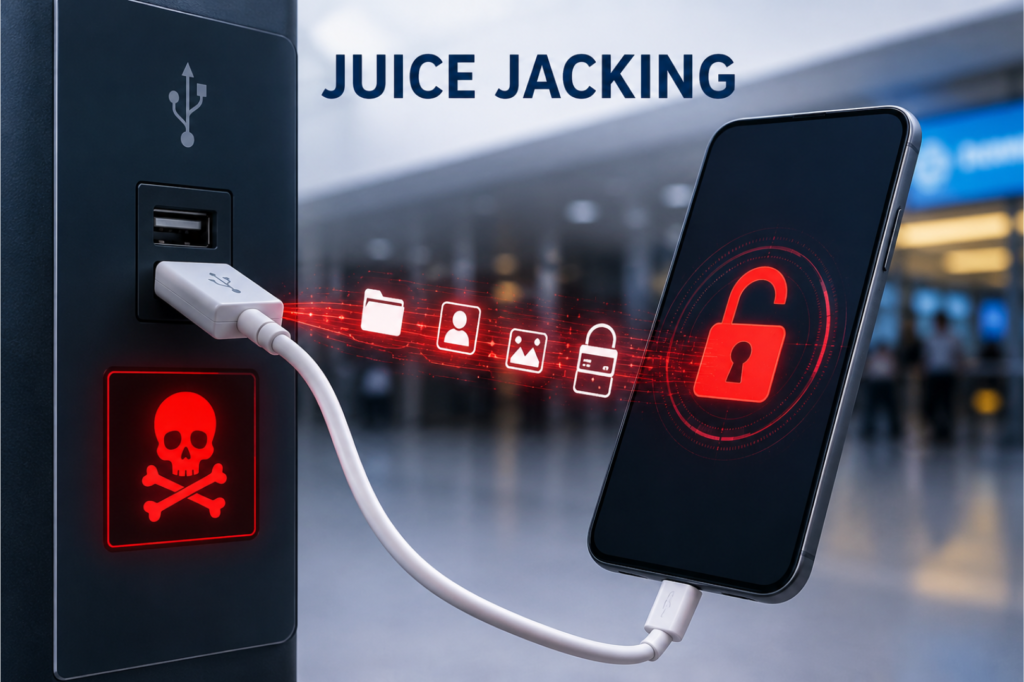
One of the most discussed threats is Juice Jacking, a technique in which a compromised USB charging station or malicious charging cable is designed to transfer data or install malware while appearing to provide normal charging.
Although confirmed real-world incidents remain relatively limited, security agencies and cybersecurity professionals recommend treating unknown USB charging ports as untrusted devices. Following simple charging safety practices can significantly reduce the risk of malware infections, unauthorized data access, and other cyber threats.
What Is Juice Jacking?
Juice Jacking is a cybersecurity attack that takes advantage of the dual functionality of USB connections.
Unlike a traditional wall charger that only supplies electrical power, a USB connection is capable of transferring both power and data. If an attacker modifies a public charging station or uses a malicious charging cable, the connection may attempt to communicate with the connected smartphone, tablet, or other USB-enabled device.
Depending on the attack scenario, a compromised charging station could potentially:
- Attempt unauthorized data communication
- Install malicious software on vulnerable devices
- Trigger unwanted file transfers
- Exploit outdated operating systems
- Capture sensitive information if security protections fail
Modern smartphones include stronger security controls than older devices, but using unknown USB ports still increases unnecessary exposure.
Why Public USB Charging Stations Can Be Risky
Most public charging stations are operated by legitimate organizations. However, users generally have no way to verify whether a charging port has been modified, tampered with, or replaced.
Potential risks include:
Unauthorized Data Access
A malicious USB connection may attempt to establish a data connection instead of simply delivering electrical power.
Malware Installation
If security vulnerabilities exist on the connected device, attackers may attempt to install malicious applications or background software.
Device Compromise
Compromised devices may later be used for credential theft, surveillance, or unauthorized remote access.
Privacy Exposure
If users allow data access prompts without understanding the request, personal files, contacts, photos, or other information could become accessible.
How a Juice Jacking Attack Could Work
A typical attack scenario may follow these stages:
1. Malicious Charging Station
An attacker modifies or replaces a public USB charging station or installs hidden malicious hardware inside an existing charging kiosk.
2. Victim Connects Device
A user plugs their smartphone into the available USB port to charge.
3. Data Connection Initiated
Instead of acting only as a power source, the compromised USB port attempts to establish a data connection with the device.
4. Security Prompt Appears
Some smartphones display prompts asking whether the user trusts the connected device or wishes to allow data access.
If the user unknowingly approves the request, communication between the device and the charging station becomes possible.
5. Potential Exploitation
Depending on the device’s security configuration and software version, attackers may attempt to:
- Access stored files
- Transfer malicious payloads
- Collect device information
- Exploit known software vulnerabilities
Modern operating systems often block many of these actions by default, but caution remains the safest approach.
Devices That Could Be Affected
Any device capable of USB data communication may be exposed if connected to an untrusted charging source.
Potentially affected devices include:
- Android smartphones
- iPhones
- Tablets
- Smartwatches with USB connectivity
- Portable gaming devices
- Digital cameras
- USB-enabled accessories
Older devices that no longer receive security updates generally face higher risks.
Signs of a Suspicious USB Connection
Although many attacks occur without obvious warning signs, users should remain alert for unusual behavior after connecting to a public charging port.
Possible indicators include:
- Unexpected “Trust This Computer” prompts
- Requests to enable file transfer
- Unknown applications opening automatically
- Device becoming unusually slow
- Unexpected notifications
- Battery draining faster than normal
- Suspicious background activity
These symptoms do not always indicate an attack, but they warrant further investigation.
Potential Security Impact
If a successful attack occurs, the consequences may vary depending on the device and its security controls.
Possible impacts include:
Personal Risks
- Exposure of personal photos and documents
- Contact information theft
- Credential compromise
- Privacy violations
Business Risks
For corporate devices, attackers may gain access to:
- Business emails
- Internal documents
- Company credentials
- Corporate VPN configurations
Operational Risks
Compromised devices may become part of broader cyberattacks involving:
- Malware distribution
- Credential harvesting
- Corporate espionage
- Financial fraud
How to Protect Yourself from Public USB Charging Risks
Fortunately, preventing Juice Jacking is relatively simple by following a few security best practices.
Use Your Own Wall Charger
The safest option is to use your own charging adapter connected directly to a standard electrical outlet rather than a public USB port.
Carry a Power Bank
A portable power bank allows users to recharge devices without relying on unknown charging stations, making it one of the safest travel solutions.
Use a USB Data Blocker
A USB data blocker, sometimes called a “USB condom,” allows electrical power to pass while physically blocking data transmission.
This inexpensive accessory is widely recommended by cybersecurity professionals for travelers and business users.
Use Charge-Only Cables
Charge-only USB cables are designed without data transfer functionality, significantly reducing the attack surface.
Keep Your Device Locked
Avoid unlocking your device while connected to an unknown USB Charging Security port. A locked device offers an additional layer of protection against unauthorized access.
Decline Data Transfer Requests
If your Mobile Device Security asks whether you trust the connected device or want to allow file transfers, decline the request unless you fully trust the charging source.
Keep Software Updated
Install operating system and security updates regularly, as they often include protections against newly discovered USB-related vulnerabilities.
Best Practices for Travelers
Public charging stations are especially common during travel.
Cybersecurity experts recommend:
- Carrying your own charger
- Using AC wall outlets whenever possible
- Keeping a fully charged power bank
- Avoiding damaged or suspicious charging kiosks
- Never using unknown USB Charging Security cables provided by strangers
- Monitoring your device after charging
Simple habits can significantly reduce unnecessary cyber risks.
Why Cybersecurity Awareness Matters
As cyber threats continue to evolve, attackers increasingly exploit everyday technology that users trust without hesitation.
Charging stations, QR codes, public Wi-Fi, Bluetooth connections, and USB Charging Mobile Device Security have all become potential attack vectors when proper security precautions are ignored.
Understanding these risks helps users make informed decisions rather than relying solely on convenience.
Cybersecurity is no longer only about protecting computers—it also involves protecting the smartphones and Mobile Device Security we use every day.
Conclusion
Public USB charging stations offer convenience, but convenience should never come at the expense of security. While modern smartphones include stronger protections against unauthorized USB access, connecting to unknown charging ports still introduces avoidable risk.
Using your own charger, carrying a power bank, or using a USB data blocker are simple yet effective ways to reduce the possibility of Juice Jacking and other USB-based attacks. Staying informed about common cybersecurity threats and adopting safe charging habits can go a long way toward protecting your personal information and digital privacy.
By treating unfamiliar USB ports with the same caution as any other untrusted device, users can continue to charge safely while minimizing exposure to potential cyber threats.
What is Juice Jacking?
Juice Jacking is a cyberattack in which a compromised public USB charging station or malicious USB cable is used to attempt unauthorized data transfer or malware installation while charging a device. Using trusted charging methods can significantly reduce the risk.
Is Juice Jacking a real cybersecurity threat?
Yes. Juice Jacking is recognized as a potential cybersecurity threat because USB connections can carry both power and data. While confirmed attacks are uncommon, cybersecurity experts recommend avoiding unknown public USB charging stations and using safer charging options.
How can I protect my device from Juice Jacking?
To reduce the risk of Juice Jacking, use your own wall charger, carry a power bank, use a USB data blocker, keep your device updated, and avoid approving unexpected data transfer requests when connecting to a USB port.
Are public USB charging stations safe to use?
Most public USB charging stations are operated by legitimate organizations, but users cannot always verify whether a charging port has been tampered with. Using a wall outlet with your own charger or a power bank is generally considered a safer option.
What is a USB data blocker, and how does it help prevent Juice Jacking?
A USB data blocker is a small device that blocks data transmission while allowing electrical power to pass through. It helps protect against Juice Jacking by preventing unauthorized data communication between your device and a USB charging port.