
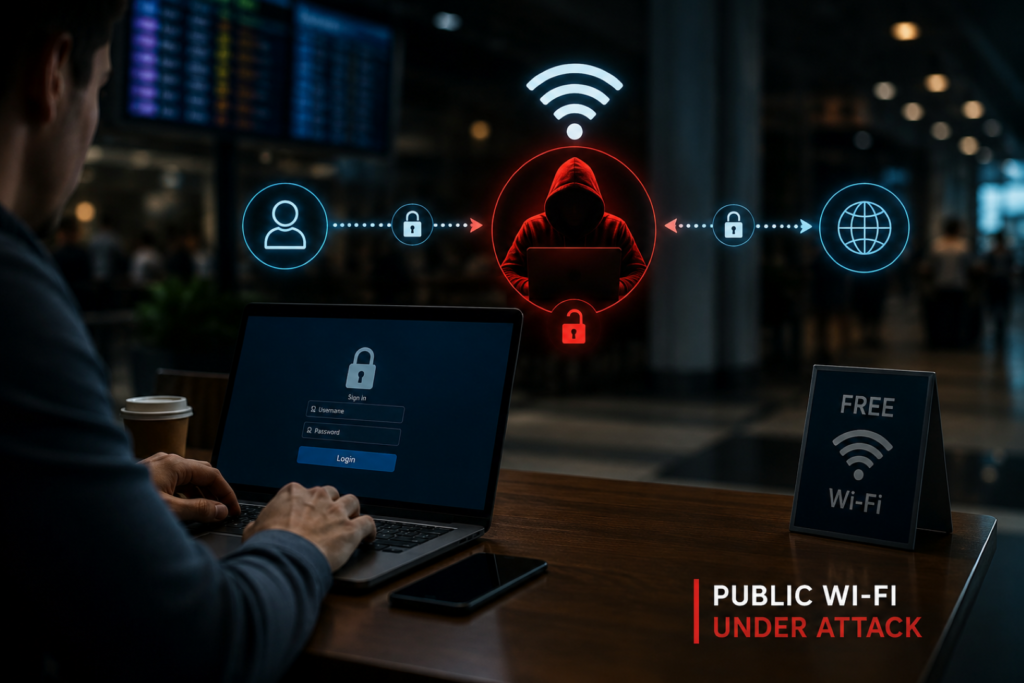
Introduction: Why Man-in-the-Middle Attacks Matter
Man-in-the-Middle Attacks continue to be one of the most common cyber threats targeting users of public Wi-Fi networks worldwide. Cybersecurity researchers warn that attackers can secretly intercept communications between a user and an online service without either party realizing their data has been compromised.
Public Wi-Fi networks found in airports, cafés, hotels, railway stations, and shopping malls often provide convenience but also increase the risk of Man-in-the-Middle Attacks targeting unsuspecting users. If proper security measures are not in place, attackers can capture login credentials, financial information, browsing sessions, and confidential communications.
As remote work and mobile connectivity continue to grow, understanding how these attacks work has become essential for both individuals and organizations.
What Are Man-in-the-Middle Attacks?
A Man-in-the-Middle Attacks scenario occurs when a cybercriminal secretly positions themselves between two communicating parties. Instead of data travelling directly between a user and a website or application, it passes through the attacker’s system, allowing the attacker to monitor, steal, or even modify the information in transit.
Unlike malware infections, MITM attacks often leave no visible signs, making them difficult for victims to detect until sensitive information has already been compromised.
How Do Attackers Carry Out MITM Attacks?
Cybercriminals use several techniques to intercept network traffic. Some of the most common methods include:
Evil Twin Wi-Fi Hotspots
Attackers create fake wireless networks that closely resemble legitimate public Wi-Fi. Unsuspecting users connect to the rogue hotspot, believing it is genuine, allowing attackers to monitor all transmitted traffic.
ARP Spoofing
On local networks, attackers manipulate the Address Resolution Protocol (ARP) to redirect network traffic through their own device before forwarding it to its intended destination.
DNS Spoofing
Instead of directing users to legitimate websites, attackers manipulate DNS responses and redirect victims to fake websites designed to steal usernames, passwords, and financial information.
SSL Stripping
Although many websites use HTTPS encryption, attackers may attempt SSL stripping techniques to downgrade secure connections to unencrypted HTTP, increasing the risk of data interception if users ignore browser security warnings.
Man-in-the-Middle Attacks: Technical Breakdown
A successful MITM attack generally follows several stages:
Timeline of a Typical Attack
- Victim connects to a public Wi-Fi network.
- Attacker positions themselves between the victim and the internet.
- Internet traffic is intercepted silently.
- Sensitive information is captured or altered.
- Stolen credentials are later used for fraud or unauthorized access.
Information Commonly Targeted
Attackers frequently attempt to steal:
- Usernames and passwords
- Banking credentials
- Credit or debit card information
- Session cookies
- Email communications
- Corporate login credentials
- Personal identity information
The exact data exposed depends on the victim’s online activity during the compromised session.
Potential Risks & Impact
Identity and Financial Risks
During Man-in-the-Middle Attacks, stolen login credentials may allow attackers to gain unauthorized access to banking platforms, social media accounts, cloud services, or business applications. Stolen payment information may also be used for fraudulent transactions.
Business Risks
Employees connecting to unsecured public Wi-Fi while working remotely may unintentionally expose confidential company information. This can lead to data breaches, operational disruptions, and reputational damage.
Compliance Risks
Organizations handling sensitive customer information may face regulatory scrutiny if weak network security practices contribute to unauthorized data exposure.
Industry Context: Why MITM Attacks Continue to Rise
Public Wi-Fi remains widely used because of its convenience, making it an attractive target for cybercriminals. As more employees work remotely and access cloud-based services outside traditional office environments, attackers have more opportunities to exploit unsecured connections.
Organizations are increasingly adopting Zero Trust security models, multi-factor authentication, and encrypted communications to reduce these risks. Readers interested in broader cybersecurity awareness can also explore CyberNexora News’ Learn & Protect, Cyber Incidents, and Resources sections for additional security guidance.
For technical best practices, organizations can also refer to guidance published by CISA and the National Institute of Standards and Technology (NIST).
How to Protect Yourself from MITM Attacks
Following simple cybersecurity practices can significantly reduce the risk of becoming a victim.
- Use a trusted VPN whenever connecting to public Wi-Fi.
- Verify HTTPS encryption before entering passwords or payment information.
- Avoid accessing banking or confidential business accounts over unsecured public networks.
- Disable automatic Wi-Fi connections to prevent accidental connections to rogue hotspots.
- Keep operating systems, browsers, and applications updated with the latest security patches.
- Enable Multi-Factor Authentication (MFA) to reduce the impact of stolen credentials.
- Ignore browser certificate warnings only at your own risk—they may indicate an interception attempt.
- Use your mobile hotspot instead of public Wi-Fi whenever possible for sensitive activities.
Organizations and individuals can also follow the NIST Cybersecurity Framework to strengthen their overall cybersecurity posture.
Indicators of Compromise (IoCs)
Users and organizations should watch for these warning signs when using public Wi-Fi:
- Unexpected certificate or browser security warnings.
- Automatic connection to unfamiliar Wi-Fi networks.
- Frequent redirects to suspicious websites.
- Login sessions ending unexpectedly.
- Slower-than-normal network performance.
- Unknown devices appearing on the local network.
While these signs do not always indicate a Man-in-the-Middle Attacks scenario, they should be investigated promptly.
Key Takeaways
- Public Wi-Fi can expose users to Man-in-the-Middle (MITM) attacks if proper security measures are not used.
- Attackers commonly rely on Evil Twin hotspots, ARP spoofing, DNS spoofing, and SSL stripping.
- Sensitive information such as passwords, banking details, and session cookies may be intercepted.
- VPNs, HTTPS, software updates, and Multi-Factor Authentication significantly reduce the risk.
- Security awareness remains one of the strongest defenses against public Wi-Fi threats.
Conclusion: Man-in-the-Middle Attacks and What Happens Next
As public Wi-Fi usage continues to increase, cybercriminals are expected to keep exploiting unsecured networks using increasingly sophisticated interception techniques. Individuals and businesses should treat every public network as potentially untrusted unless additional security controls are in place.
By following cybersecurity best practices, using encrypted connections, and remaining alert to suspicious network activity, users can greatly reduce the risk of becoming victims of Man-in-the-Middle Attacks. Staying informed and adopting proactive security habits will remain essential as cyber threats continue to evolve.
Frequently Asked Questions(FAQs)
Man-in-the-Middle Attacks refer to attacks in which cybercriminals secretly intercept communication between a user and an online service. They often target insecure public Wi-Fi networks to steal sensitive information.
Attackers typically create fake Wi-Fi hotspots, perform ARP spoofing, DNS spoofing, or attempt SSL stripping to intercept internet traffic. These techniques allow them to capture or manipulate transmitted data.
A trusted VPN greatly reduces the risk by encrypting internet traffic between your device and the VPN server. While it does not eliminate every cyber threat, it is one of the most effective protections on public Wi-Fi.
Attackers may capture usernames, passwords, banking details, email communications, session cookies, and other confidential information transmitted over insecure connections.
Use a VPN, verify HTTPS before entering sensitive information, enable Multi-Factor Authentication, disable automatic Wi-Fi connections, and keep your device updated with the latest security patches.