
Introduction: New Phishing Attacks — Why They Matter
New Phishing Attacks are reportedly abusing trusted email infrastructure and URL-cloaking techniques to make malicious messages appear legitimate. Instead of relying on obviously suspicious sender addresses or attachments, campaigns are using familiar invoices, renewal notices, payment reminders, and banking alerts to direct recipients toward deceptive websites.
The approach can move the malicious activity into the click path. A message may pass common email authentication checks, contain no attachment, and still redirect a victim through multiple stages before reaching a fraudulent destination.
Virus Bulletin reported examples of this technique during its Q3 2026 testing, highlighting how attackers can combine believable lures with infrastructure designed to behave differently for security scanners and human users.
What Caused the New Phishing Attacks?
The campaigns rely on several layers rather than a single malicious component. Attackers reportedly use legitimate or authenticated email infrastructure, redirects, cloaking pages, and browser-based checks to make detection more difficult.
One August example involved a German overdue-payment message delivered through Amazon Simple Email Service. Its DKIM signature aligned with the sending domain, creating technical indicators that could make the message appear more trustworthy.
Another campaign used a Romanian-language banking lure that imitated BCR S.A. branding and claimed that PSD2 consent renewal was required. The message reportedly used a DKIM-aligned but unrelated sender and an IPv6-mapped address in its link.
New Phishing Attacks: Technical Breakdown
How the Attack Chain Works
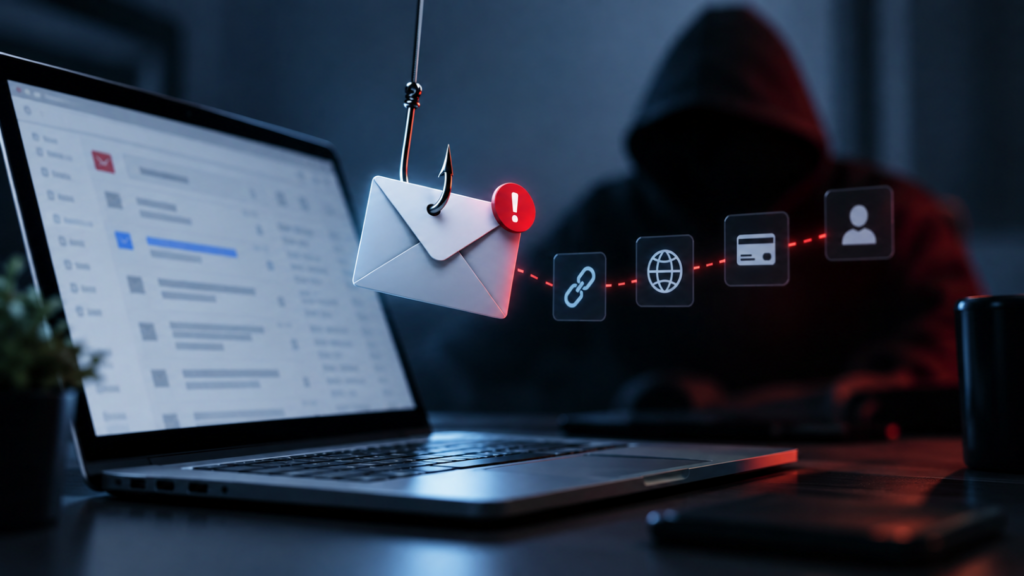
The reported campaigns demonstrate a multi-stage phishing process:
- A convincing email reaches the target through trusted or authenticated infrastructure.
- The message uses an urgent theme such as an invoice, renewal, payment, or banking warning.
- The recipient follows a link containing a cloaking or redirect mechanism.
- The landing page can perform browser or environment checks.
- The victim may then be sent to a credential-stealing, payment-fraud, or other deceptive destination.
Some observed pages reportedly collected browser and time-zone information before continuing the redirect chain. This can cause security tools and human users to receive different content.
What Targets Are Being Sought?
The observed campaigns reportedly targeted:
- Banking credentials
- Payment information
- Cryptocurrency-related fraud
- Account access
- Users responding to renewal or invoice requests
The campaigns demonstrate that phishing does not necessarily require a malware attachment. The harmful content can appear later in the browsing process.
Potential Risks and Impact
Credential and Financial Risk
Victims who follow these links may be exposed to fraudulent login pages or payment requests. Banking-themed messages can create pressure to act quickly, increasing the chance that users enter sensitive information without independent verification.
Business and Reputational Risk
Organizations can face increased exposure when attackers imitate invoices, subscription notices, or banking communications. Employees who trust authenticated messages may be more likely to follow malicious links.
Security Detection Risk
The combination of authentication, redirects, and cloaking can reduce the effectiveness of controls that examine only the sender, attachment, or initial URL. Security teams may need greater visibility into the complete browser journey.
Official Response / Research Findings
The available findings come from Virus Bulletin’s comparative testing and reporting. The material does not identify a specific official statement from Amazon or the other organizations whose infrastructure or branding appeared in the examples.
The findings should therefore be understood as observations of phishing samples and techniques, rather than evidence that the legitimate services involved are malicious.
Industry Context: Why Trusted Email Phishing Is Increasing
Attackers increasingly exploit the difference between technical legitimacy and business legitimacy. SPF, DKIM, and DMARC can help establish that an email was authorized by a domain, but authentication alone does not prove that the request itself is genuine.
CyberNexora News readers can follow the Cyber Incidents section for similar attack reports and the Learn & Protect section for practical security guidance.
How to Protect Yourself and Your Organization
- Verify unexpected requests: Confirm invoices, renewals, payments, and banking alerts through an independently known channel.
- Avoid email links for sensitive accounts: Open the official website or application directly.
- Do not trust authentication alone: A valid SPF, DKIM, or DMARC result does not guarantee a legitimate request.
- Inspect redirects: Security teams should analyze the complete destination chain rather than only the first URL.
- Use browser and endpoint protection: Deploy controls capable of detecting suspicious redirects and post-load behavior.
- Train employees: Teach staff to recognize urgency, impersonation, and unexpected financial requests.
- Investigate unusual URLs: Pay attention to IP-based links, unfamiliar domains, and unusual URL structures.
- Report suspicious messages: Preserve the email and relevant indicators for security-team analysis.
Additional guidance can be found in CyberNexora News’s security resources.
Indicators of Compromise (IoCs)
Reported indicators include:
31-59-175-195[.]syd[.]nbn[.]aussiebb[.]netloadswage[.]comeightindigostove[.]commoolaah[.]comwebsite-2df62808[.]mvplineup[.]com/audacity/undersideopensea[.]ioxmasbrick[.]com103[.]193[.]179[.]223
These indicators are intentionally defanged and should be handled through controlled security-analysis platforms.
Key Takeaways
- Attackers are reportedly abusing trusted and authenticated email infrastructure for phishing.
- URL cloaking and redirects can hide the final destination from basic security checks.
- Browser and environment fingerprinting can cause different content to appear to scanners and users.
- SPF, DKIM, and DMARC authentication do not prove that an email request is legitimate.
- Defenders should inspect the complete click path and post-load behavior.
Conclusion: New Phishing Attacks and What Happens Next
The New Phishing Attacks highlight a shift toward phishing chains that combine trusted delivery infrastructure with cloaking and redirects. This makes simple checks such as sender reputation or attachment scanning less sufficient on their own.
Organizations should strengthen detection around complete URL journeys, browser behavior, and suspicious business requests. Users should independently verify payment, banking, and renewal messages before entering credentials or financial information.
CyberNexora News will continue tracking developments in phishing and cyber incidents as attackers adopt more evasive delivery techniques.
Frequently Asked Questions (FAQs)
New Phishing Attacks 2026 are reported phishing campaigns that use trusted email infrastructure, URL cloaking, and redirects to make malicious activity harder to detect.
URL cloaking can hide the final destination behind redirects or conditional pages. This may make automated security checks less effective.
No. Email authentication can indicate that a message was authorized by a domain, but it does not prove that the request or destination is trustworthy.
The reported campaigns targeted credentials, payment information, banking access, and cryptocurrency-related fraud opportunities.
Organizations should inspect complete redirect chains, unusual URLs, browser fingerprinting behavior, and post-load activity instead of relying only on sender authentication.
Users should still verify unexpected requests independently, even when an email passes authentication checks. Sensitive services should preferably be accessed through known official websites or applications.